Automatic Deployments
You can streamline your development workflow by configuring automatic deployments that trigger whenever changes are pushed to your main branch.
Cloudflare provides native support for monorepo architectures through GitHub repository integrations. Detailed configuration instructions are available in the Advanced Setups documentation.
Staging and Production
This project has a staging environment as well as a production environment. With both deployed, you should have four deployments in the Cloudflare dashboard; two for the main app, next-cloudflare-turbo/staging, and two for the docs.
The staging environments are isolated from production (we don't promote stg -> prd), and as such you do not need to connect your GitHub repository to the staging sites. These are intended for use via the CLI command npm run deploy:staging.
Connecting your repository to your Worker
Each Worker deployment requires its own repository connection to be configured separately. In this example project, that is the production Worker for app and docs.
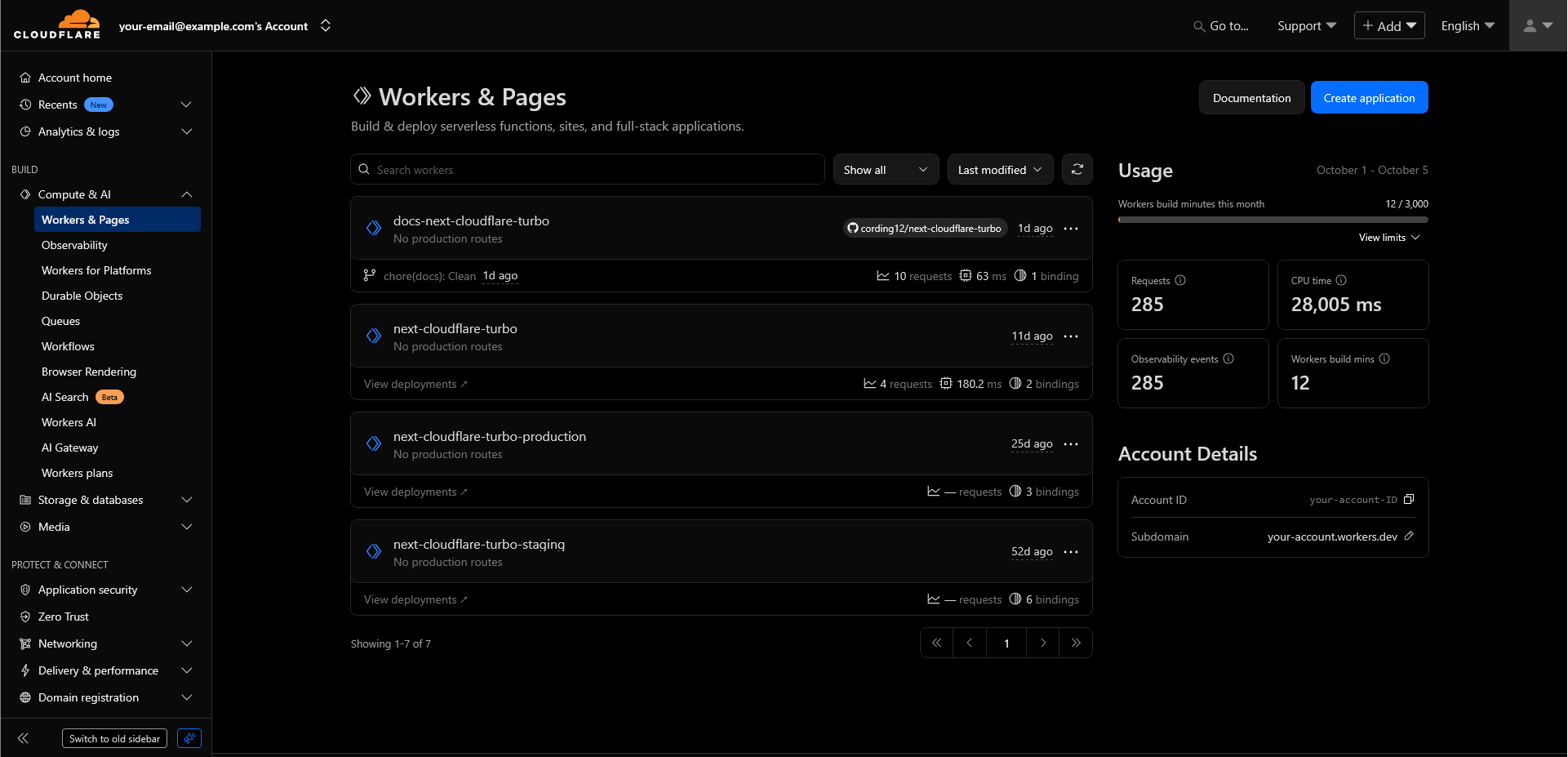
Connect to GitHub
Navigate to Settings on the top navigation. Scroll down to Build and click Connect. Follow the on-screen instructions to connect your GitHub repository.
Add build and deploy commands
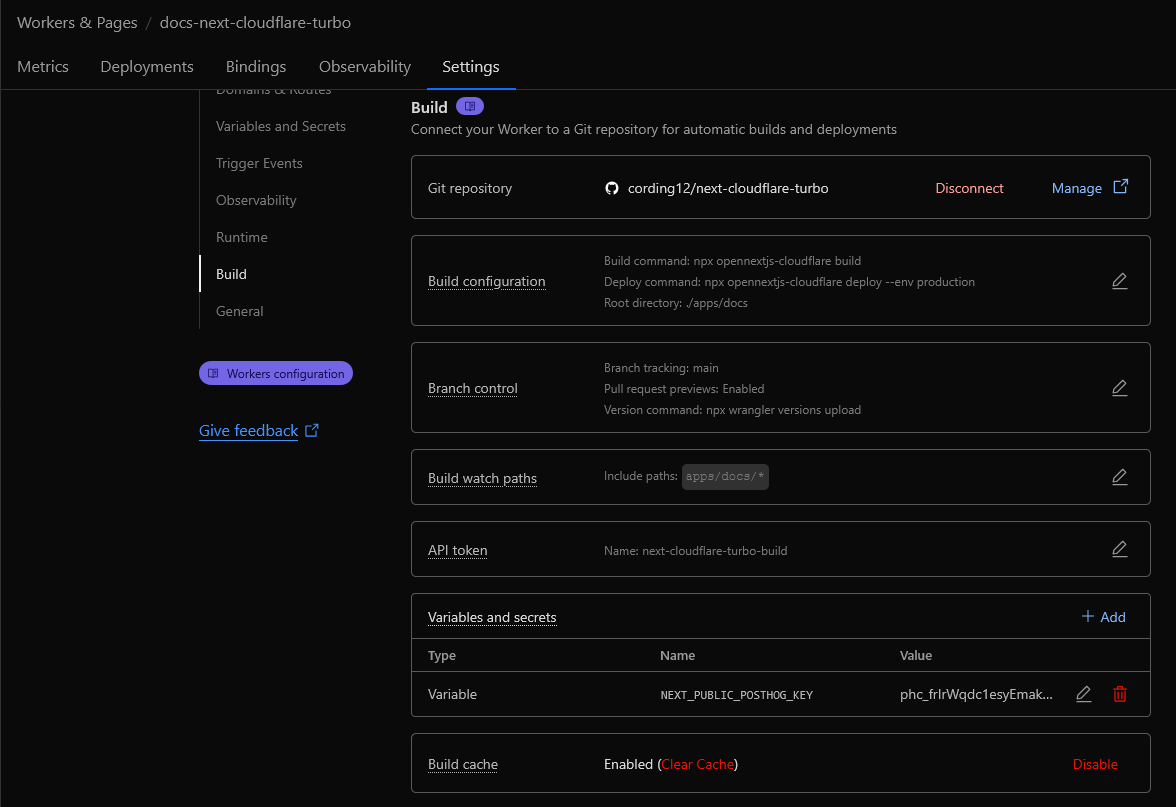
As we're using the opennext.js adapter, we must change the default build/deploy commands:
npx opennextjs-cloudflare buildYou can specify the environment with the --env parameter. If you only have one configured, omit the --env production.
npx opennextjs-cloudflare deploy --env productionSet the Path (Root directory)
Set the Path to the root of the Worker you are deploying (where the wrangler.jsonc for that Worker is). In this example, we are configuring the docs, so the Path is apps/docs/*.
Set the build watch path
Set the build watch path. This tells Cloudflare to watch for changes to a specific piece of the repository, and build based off that. By default, all paths (*) are watched and would trigger a rebuild on every push.
Set this to apps/docs/* to ensure only changes made to this Worker code triggers a rebuild.
The final configuration should look something like the below:
Debugging build issues
Detailed instructions for debugging your Workers build can be found in the Troubleshooting builds documentation.
How is this guide?
Last updated on